TL;DR: Amazon keyword ranking determines how visible your product appears in search results based on relevance, performance, and customer behavior. Understanding the A9 and evolving A10 algorithms is essential for optimizing listings and improving sales velocity.
Key Takeaways
- Amazon's keyword ranking system relies on the A9 algorithm (and its evolution into A10) to determine which products appear for specific search terms.
- Relevance, conversion rate, sales velocity, and customer satisfaction are core factors influencing Amazon's product ranking.
- Optimizing backend keywords, title, bullet points, and images improves discoverability and helps beat competitors in organic search.
- Amazon updates keyword rankings frequently—often daily—so consistent monitoring and adjustments are crucial for long-term success.
- SellerSprite’s Amazon Rank Tracking Guide provides actionable insights to track and improve your keyword performance.
Table of Contents
Note on marketplaces: This guide is specifically optimized for the US market.
Introduction: Why Keyword Ranking Matters on Amazon
If you're selling on Amazon, visibility is everything. And the fastest way to get seen? Ranking high for relevant keywords. But unlike Google SEO, Amazon’s search engine doesn’t just look at backlinks or domain authority—it’s built around a unique algorithm designed to deliver the most relevant, high-converting products to shoppers.
For new and growing sellers, understanding how Amazon keyword ranking works isn’t optional—it’s foundational. Whether you're launching your first product or scaling a brand, mastering Amazon SEO can mean the difference between obscurity and top-of-search dominance.
In this comprehensive guide, we’ll break down the mechanics behind Amazon’s search algorithm, explain how keywords impact your product’s visibility, and give you a step-by-step strategy to improve your rankings—backed by real-world best practices and tools like SellerSprite’s keyword tracking to help you stay ahead.
Understanding the Amazon A9 Algorithm (and the Shift to A10)
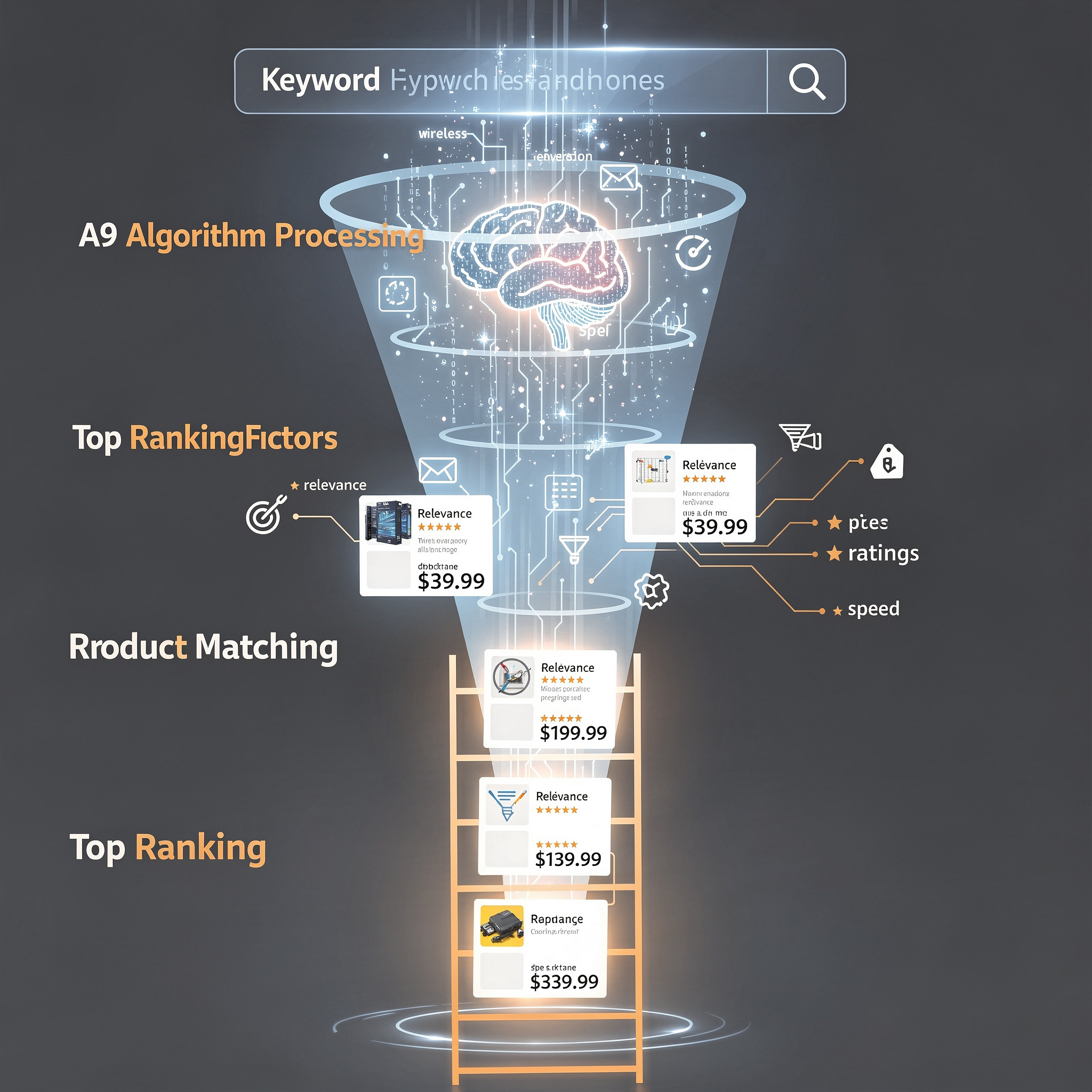
At the heart of Amazon’s search engine lies the A9 algorithm, the technology responsible for determining which products appear—and in what order—when a customer types in a search query.
Originally developed in the early 2000s, A9 was named after Amazon’s internal search team. Over time, it evolved into a sophisticated machine learning-driven system that prioritizes two main goals: relevance and profitability (for both Amazon and the seller).
While Amazon no longer officially confirms the use of “A9,” industry experts widely agree that the core principles still apply—even as the platform transitions toward what many now call the A10 algorithm. The shift reflects Amazon’s increasing reliance on artificial intelligence, behavioral data, and real-time performance metrics.
So what’s the difference?
A9 vs. A10: What’s Changed?
A9 focused heavily on keyword matching and historical sales data. If your listing included the right keywords and had strong past performance, you ranked well.
A10, however, places greater emphasis on real-time customer behavior, including:
- Click-through rate (CTR) from search results
- Conversion rate after clicks
- Customer reviews and ratings
- Return rates and fulfillment speed
- Shopping session engagement (e.g., time spent viewing, add-to-cart actions)
This means that even if your listing has perfect keywords, poor conversion performance can tank your ranking. Conversely, a newer listing with strong early traction can climb quickly.
For sellers, this evolution underscores the importance of holistic optimization—not just keyword stuffing, but creating compelling, trustworthy listings that convert.
7 Key Factors That Influence Amazon Keyword Ranking
Amazon’s search algorithm evaluates hundreds of signals, but research and testing show that a handful of factors carry the most weight. Here are the top seven Amazon product ranking factors you need to master:
1. Keyword Relevance & Placement
Amazon first checks whether your product is relevant to the search term. This is determined by how and where keywords appear in your listing:
- Title: Include primary keywords near the front (e.g., "Wireless Earbuds, Bluetooth 5.3, Noise Cancelling...")
- Bullet Points: Use natural language with secondary keywords
- Product Description: Reinforce benefits and features with keyword-rich content
- Backend Search Terms: Add synonyms, misspellings, and long-tail variations (Amazon allows 249 bytes)
Avoid keyword stuffing—Amazon penalizes spammy content. Focus on clarity and relevance.
2. Sales Velocity
Products that sell consistently rank higher. Amazon interprets frequent sales as a sign of demand and trustworthiness.
Pro tip: Run limited-time promotions or coupon campaigns during launch to boost early velocity and signal popularity to the algorithm.
3. Conversion Rate (CR)
Even if your product gets clicks, a low conversion rate hurts ranking. Amazon wants to show products that turn browsers into buyers.
To improve CR:
- Use high-quality, lifestyle images
- Write benefit-driven bullet points
- Price competitively
- Ensure inventory availability
4. Customer Reviews & Ratings
Products with higher star ratings (4.0+) and recent positive reviews rank better. Amazon sees this as social proof of quality.
Encourage reviews using Amazon’s Request a Review button—but never pay for or incentivize them, as this violates policy.
5. Click-Through Rate (CTR)
If your product appears in search but isn’t getting clicked, Amazon may demote it. A strong CTR depends on:
- Clear, benefit-focused title
- Eye-catching main image (white background, high resolution)
- Competitive pricing and Prime badge
6. Fulfillment Method (FBA vs. FBM)
Fulfillment by Amazon (FBA) listings often rank higher because they qualify for Prime, offer faster shipping, and reduce customer service burden.
While FBM (Fulfillment by Merchant) products can still rank, they face steeper competition unless they offer unique value or lower prices.
7. Return Rates & Customer Satisfaction
High return rates or negative feedback signal poor product-market fit. Amazon may deprioritize such listings to maintain shopper trust.
Ensure accurate descriptions, realistic images, and responsive customer service to minimize returns.
Step-by-Step Keyword Optimization Strategy for Amazon Listings
Now that you understand the key ranking factors, let’s walk through a proven process for keyword optimization for Amazon that works for both new and existing listings.
Step 1: Conduct Keyword Research
Start by identifying high-potential keywords. Use tools like SellerSprite Keyword Research to find terms with:
- High search volume
- Low competition
- Strong buyer intent
Look at competitor listings to see which keywords they’re ranking for. Pay attention to their titles, bullets, and backend terms (inferred via tools).
Step 2: Prioritize Primary and Secondary Keywords
Choose 1–2 primary keywords (e.g., "wireless earbuds") and 3–5 secondary keywords (e.g., "Bluetooth earbuds for iPhone").
Your primary keyword should appear in:
- Title (first 50 characters)
- First bullet point
- Backend search terms
Step 3: Optimize Your Listing Copy
Rewrite your listing to naturally incorporate keywords while focusing on benefits:
- Title: Brand + Primary Keyword + Key Features + Use Case (e.g., "Sony WH-1000XM4 Wireless Headphones, Noise Cancelling, 30-Hour Battery, for Travel")
- Bullets: Start each with a benefit (e.g., "Crystal-Clear Calls" instead of "Built-in microphone")
- Description: Tell a story—highlight durability, comfort, or lifestyle fit
Step 4: Optimize Backend Search Terms
Use every byte wisely. Include:
- Synonyms (e.g., "headphones" vs. "earphones")
- Common misspellings (e.g., "blutooth")
- Use cases (e.g., "for gym", "for running")
- Size, color, material variations
Avoid repeating words already in your visible listing—Amazon ignores duplicates.
Step 5: Launch with a Performance Boost
After optimizing, give your listing a jumpstart:
- Run a 24–48 hour giveaway or deep discount
- Use Amazon PPC to target your primary keywords
- Share on social media or email lists
This generates early sales and signals relevance to the algorithm.
How to Track and Improve Your Amazon Keyword Rankings
Optimization doesn’t end at launch. To maintain and improve rankings, you need ongoing monitoring.
Amazon updates its keyword ranking for seller listings frequently—often daily. This means your position can fluctuate based on competitor moves, seasonal trends, or changes in customer behavior.
Here’s how to stay on top:
1. Use a Rank Tracking Tool
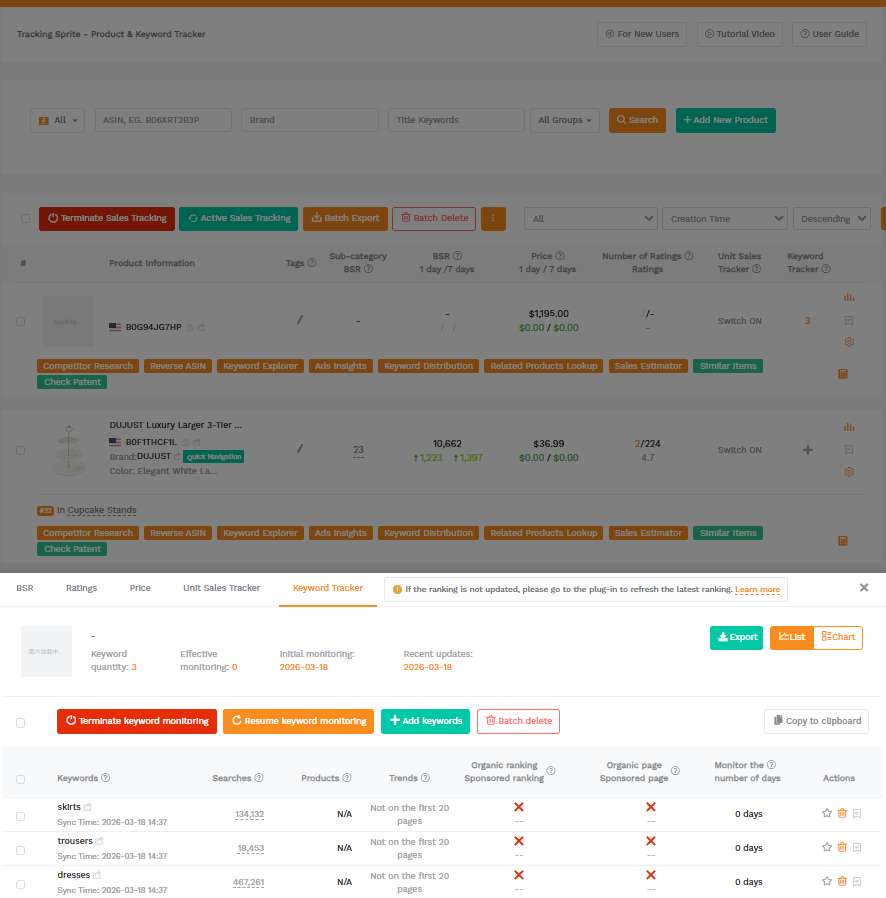
Manual checks are time-consuming and inaccurate. Instead, use SellerSprite’s Amazon keyword rank tracker to monitor your positions across multiple keywords and ASINs in real time.
Features to look for:
- Daily ranking updates
- Position history charts
- Competitor benchmarking
- Alerts for ranking drops
2. Analyze Competitor Listings
Regularly audit top-ranking competitors. Are they using new keywords? Better images? Lower prices?
Tools like SellerSprite allow you to reverse-engineer their keyword strategy and identify gaps in your own listing.
3. Refresh Your Listing Quarterly
Update images, tweak copy, and add new keywords based on performance data. Even small changes can lead to ranking improvements.
4. Leverage Amazon Ads
PPC campaigns not only drive sales but also generate keyword data. Use search term reports to discover high-converting keywords you can add to your listing.
FAQ
How does Amazon's A9 algorithm determine keyword ranking for products?
The A9 algorithm ranks products based on keyword relevance, sales performance, conversion rate, customer reviews, and fulfillment method. It matches search queries to listings by analyzing keywords in titles, bullets, backend terms, and product descriptions. High-converting, well-reviewed products with strong sales velocity typically rank higher. While A9 laid the foundation, Amazon has evolved toward A10, which places greater emphasis on real-time customer behavior like click-through and conversion rates.
What are the best practices for optimizing keywords on Amazon product listings?
Best practices include: placing primary keywords in the title and first bullet, using natural language in descriptions, maximizing backend search terms with synonyms and long-tail variations, avoiding keyword stuffing, and aligning keywords with customer intent. Additionally, use tools like SellerSprite to research high-volume, low-competition keywords and monitor performance over time.
How often does Amazon update its keyword ranking for seller listings?
Amazon updates keyword rankings frequently—often on a daily basis. This means your product’s position can change rapidly based on sales activity, competitor performance, customer behavior, and listing optimizations. To stay competitive, sellers should monitor rankings regularly using tools like SellerSprite and make data-driven adjustments to maintain or improve visibility.
Next Steps
- Use SellerSprite’s free keyword research tool to find high-potential keywords for your niche.
- Review your top 3 product listings and optimize titles, bullets, and backend terms using the strategies above.
- Set up rank tracking in SellerSprite to monitor performance and receive alerts for ranking changes.
References
- Amazon A9 Algorithm Explained View
- How to Track Amazon Keyword Ranking View
- Amazon A10 Algorithm & Keyword Strategy 2025 View
- Amazon Rank Tracking Guide: Analytics and Insights View
- How Do Amazon's New Sellers Increase the Search Ranking of a Listing? View
By SellerSprite Success Team
The SellerSprite Success Team combines deep expertise in Amazon marketplace dynamics, data analytics, and e-commerce growth strategies. With years of hands-on experience helping thousands of sellers optimize listings, track rankings, and scale profitably, we deliver actionable insights grounded in real-world performance data. Our content is trusted by new and established brands navigating the complexities of Amazon SEO and algorithm changes.


