TL;DR: Optimize your Amazon Backend Search Terms by staying under the 249-byte limit, avoiding repetition, and focusing on high-relevance hidden keywords to maximize your product's discoverability.
Key Takeaways
- The US limit is 249 bytes, not characters; multi-byte characters like emojis or special symbols consume more space.
- Never repeat keywords already present in your Title, Bullet Points, or Description to save valuable space.
- Use SellerSprite to identify high-converting "hidden keywords" and synonyms that competitors are missing.
Table of Contents
Note on marketplaces: This guide is specifically optimized for the US market.
Understanding Amazon Backend Search Terms
Amazon Backend Search Terms, often referred to as "hidden keywords," are terms provided in the backend of Amazon Seller Central that are not visible to customers on the product detail page. However, they play a critical role in Amazon SEO by telling the A9 algorithm which keywords your product should be indexed for. While front-end content, such as titles and bullet points, is optimized for both readability and search, backend terms are purely for the algorithm.
![Amazon SEO Front-end vs Backend Comparison]](https://o.sellersprite.com/docs/202603/sellersprite-2026030904540983789.png)
For any seller looking to dominate their niche, mastering these terms is essential for comprehensive Amazon indexing. If you want to learn more about the broader context of optimization, check out our Amazon SEO and Listing Optimization Ultimate Guide. Properly utilized backend terms can capture long-tail traffic, misspellings, and relevant synonyms that would otherwise clutter your customer-facing copy.
The 249-Byte Rule: What You Need to Know
One of the most frequent questions from new and growth-stage sellers is: "How many characters are allowed in Amazon backend search terms?" In the US market, the limit is strictly 249 bytes. It is vital to understand that bytes are not always equivalent to characters. Standard alphanumeric characters (A-Z, 0-9) are 1 byte each, but special characters or symbols from other languages can be 2 to 4 bytes. If you exceed this limit, Amazon may ignore the entire field, rendering your Amazon keyword research efforts useless.
To ensure you are within the limit, do not use commas, semicolons, or unnecessary spaces. Simply separate your keywords with a single space. Amazon’s algorithm treats the entire string as a collection of keywords, automatically combining them into various search queries. This is why Amazon indexing is so sensitive to the way you format this specific field.
Amazon SEO: How to Find the Best Hidden Keywords
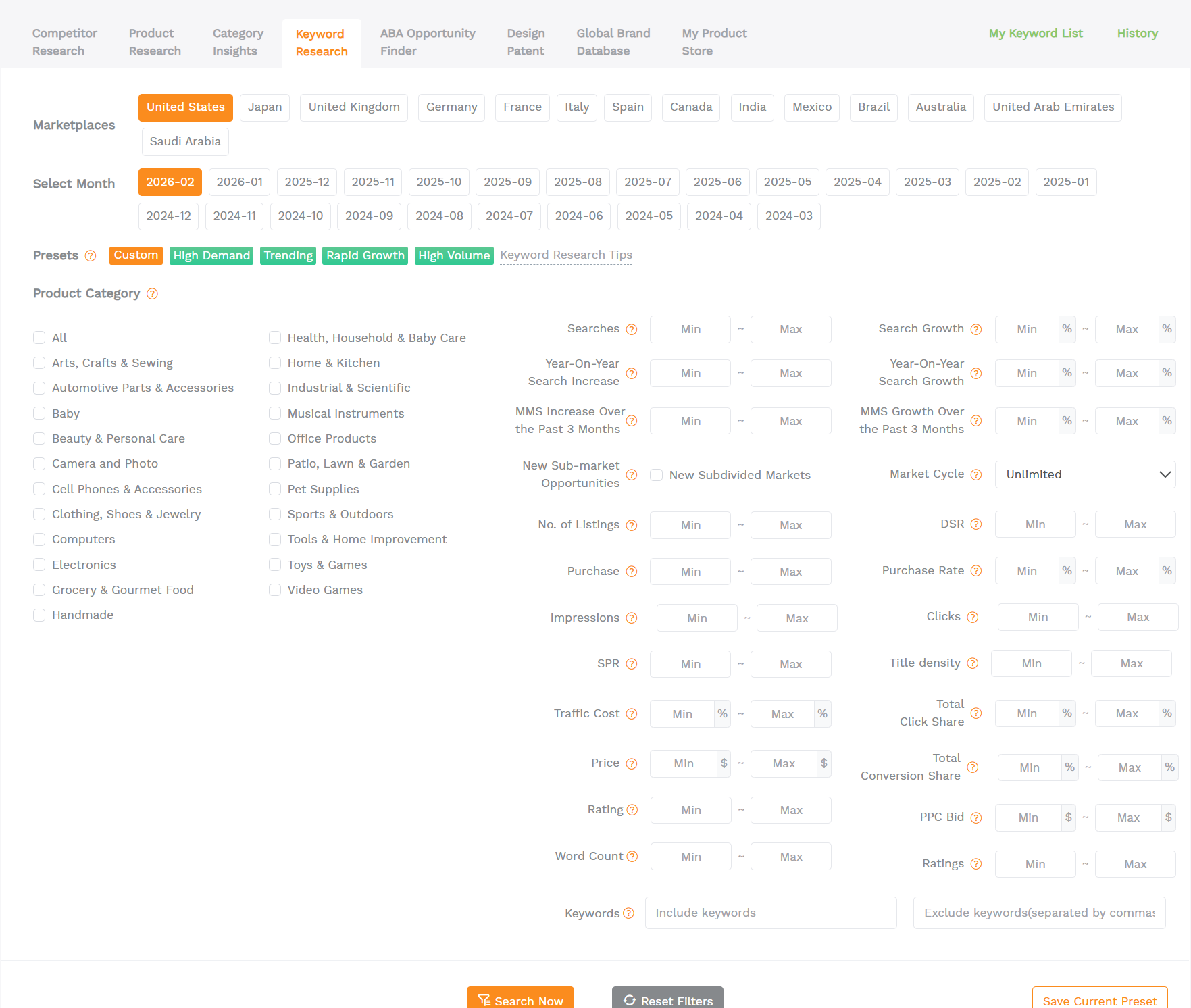
Effective Amazon keyword research goes beyond just looking at high-volume terms. You need to find the "gaps" that your competitors are not covering. Using tools like SellerSprite, you can perform a reverse ASIN lookup to see which keywords are driving organic traffic to the top players in your category. These terms often include secondary use cases, specific target audiences, or lifestyle keywords that don't fit naturally into a product title.
For example, if you are selling a "silicone spatula," your title might include "heat-resistant" and "non-stick." However, your backend search terms could include "baking accessories," "rubber scraper," or even common Spanish translations like "espátula de silicona." Since the US market has a massive Spanish-speaking population, including Spanish terms is a pro-level strategy for Amazon hidden keywords. You can sign up for SellerSprite to access real-time search volume and competition data for these secondary terms.
Step-by-Step Checklist for Backend Optimization
To maximize your organic ranking and ensure your listing is fully indexed, follow this actionable checklist:
- Check the Byte Count: Use a byte counter tool to ensure you are under 250 bytes.
- Remove Redundancy: Do NOT repeat keywords used in the Title or Bullet Points. Amazon already indexes those.
- No Punctuation: Use only spaces to separate words. Commas take up bytes without adding SEO value.
- Include Synonyms: If your product is a "running shoe," include "sneakers," "trainers," and "athletic footwear."
- Add Misspellings (Carefully): While Amazon corrects many misspellings, some niche or unique errors are worth including if they have high volume.
- Target Audience & Use Cases: Keywords like "gift for dad" or "camping gear" help capture intent-based traffic.
- Spanish Keywords: For the US market, localizing your backend with Spanish terms is highly effective.
Common Mistakes to Avoid in Seller Central
Many sellers, even experienced ones, fall into traps that can suppress their rankings. First, never include competitor brand names in your search terms. This is a violation of Amazon's Terms of Service and can lead to listing suspension. Second, avoid using "fluff" words like "best," "cheapest," or "new." These do not help with indexing and waste space.
Another common mistake is ignoring the plural forms of words. While Amazon’s algorithm is getting better at recognizing plurals, if you have extra space, including a common plural variation can occasionally help with Amazon indexing for very specific long-tail queries. Finally, ensure your search terms are actually relevant. Indexing for irrelevant terms will lead to a low click-through rate (CTR) and poor conversion, which eventually hurts your organic ranking.
FAQ
How many characters are allowed in Amazon backend search terms for the US market?
In the US, you are allowed up to 249 bytes. This usually equates to about 200-240 characters depending on the use of spaces and special symbols. Exceeding 249 bytes will result in none of the search terms being indexed.
How do I optimize my Amazon backend search terms to improve organic ranking?
Optimization involves identifying keywords with high search volume that are not already in your visible listing content. Focus on synonyms, target audience terms, and Spanish translations. Use a single space between words and avoid any punctuation.
Should I repeat keywords from my product title in the backend search terms field?
No, you should never repeat keywords. Amazon indexes your title, bullet points, and description. Repeating these keywords in the backend is a waste of your limited 249-byte space and does not provide any additional ranking boost.
Next Steps
- Audit your current Search Terms in Seller Central to ensure they are under the 249-byte limit.
- Use SellerSprite to discover high-traffic synonyms your competitors are ignoring.
- Run an indexing check by searching "ASIN + Keyword" on Amazon to verify your terms are active.
References
- Amazon Seller Central: Use search terms effectively. View
- SellerSprite: Keyword Research and Reverse ASIN Lookup View
By SellerSprite Success Team
The SellerSprite Success Team is comprised of seasoned Amazon sellers and data analysts dedicated to helping e-commerce entrepreneurs scale their businesses using data-driven SEO and competitive intelligence tools.


