TL;DR: Amazon Brand Analytics (ABA) search terms reveal what real customers type to find products like yours. This guide shows you how to access, analyze, and act on ABA data to improve SEO, PPC, and product listings.
Key Takeaways
- Amazon Brand Analytics (ABA) provides real-time, first-party data on customer search behavior, including top search terms, click-through rates, and conversion rates.
- Only brand-registered sellers can access ABA, which includes powerful reports like Search Query Performance, Top Search Terms, and Market Basket Analysis.
- Use ABA search term data to optimize product titles, bullet points, backend keywords, and Amazon PPC campaigns for higher visibility and conversion.
- Combine ABA insights with third-party tools like SellerSprite to uncover long-tail opportunities and track keyword performance over time.
Table of Contents
Note on marketplaces: This guide is specifically optimized for the US market.
What Is Amazon Brand Analytics (ABA)?
Amazon Brand Analytics (ABA) is a free, powerful dashboard available exclusively to sellers enrolled in the Amazon Brand Registry. It provides deep, data-driven insights into customer behavior, search trends, and competitive dynamics on Amazon's US marketplace.
Unlike third-party tools that estimate search volume or keyword performance, ABA delivers real, first-party data directly from Amazon's search engine. This includes actual customer search queries, how often they click on your products, and how frequently those clicks lead to purchases.
For growing brands and experienced sellers, ABA is a goldmine. It helps you understand not just what customers are searching for, but also how your brand stacks up against competitors in terms of visibility and conversion. Key reports include:
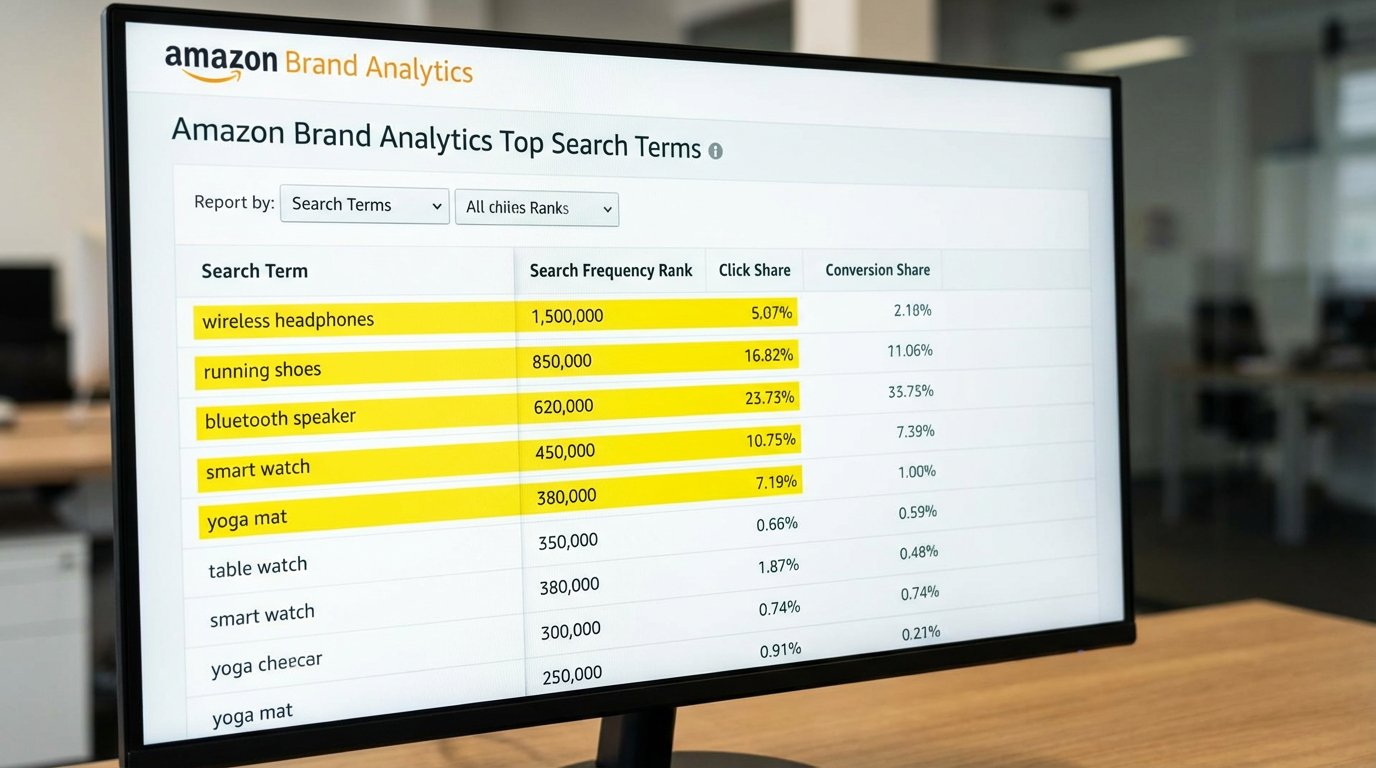
- Top Search Terms: Shows the most popular search terms in your category and how your products rank for them.
- Search Query Performance: Reveals detailed metrics like CTR (click-through rate) and CVR (conversion rate) for specific search terms.
- Market Basket Analysis: Identifies products frequently bought together, enabling smart bundling and cross-promotion.
- Item Comparison: Shows which brands and products shoppers compare yours with.
These insights are critical for refining your Amazon keyword research strategy and aligning your content with actual customer search behavior.
How to Access Amazon Brand Analytics Search Terms
Accessing Amazon Brand Analytics is straightforward, but only if you meet the prerequisites. Here's how to get started:
- Enroll in Amazon Brand Registry: You must have a registered trademark and complete the verification process via Amazon Brand Registry.
- Log in to Seller Central: Navigate to the Reports tab in your Seller Central dashboard (US account).
- Find Brand Analytics: Under "Business Reports," click on Brand Analytics. If you don't see it, confirm your brand enrollment status.
- Select a Report: Choose from Search Query Performance, Top Search Terms, or others based on your goal.
Once inside, you can filter data by category, time range (up to last 6 months), and branded vs. non-branded terms. The data is updated weekly, so check regularly to spot emerging trends.
Pro Tip: Export the data to CSV and combine it with tools like SellerSprite's ABA Research Guide to automate analysis and uncover hidden keyword opportunities.
Understanding the Search Query Performance Report
The Search Query Performance report is one of the most actionable tools in ABA. It shows how your ASINs perform for specific search terms, including:
- Search Term: The actual phrase customers typed.
- Click Share: Percentage of clicks your product received for that search term.
- Conversion Share: Percentage of sales your product captured from that search.
- Top of Search Share of Voice (SOV): How often your product appeared in the top search results.
For example, if you sell organic coffee pods and see "organic k cups" has a high click share but low conversion share, it may indicate strong traffic but poor listing optimization. Perhaps your price is too high or images aren't compelling.
Use this report to:
- Identify high-intent keywords your competitors are winning.
- Find underperforming keywords where you rank but don't convert.
- Prioritize keyword optimization efforts based on real performance data.
This level of insight is unmatched by most Amazon keyword research tools, which rely on estimates rather than actual Amazon data.
How to Use ABA Data to Optimize Product Listings
Your product listing is only as strong as the keywords it targets. ABA data helps you align your content with real customer language. Here's a step-by-step process:
- Download the Top Search Terms Report: Filter by your product category and extract the top 100–200 terms.
- Identify High-Volume, Low-Competition Keywords: Look for terms with strong search volume but where your brand has low click share, indicating an opportunity.
- Optimize Your Title: Include the most relevant, high-intent keyword near the front. Example: "Organic Coffee Pods, Dark Roast K-Cups, 100% Arabica, Compatible with Keurig".
- Enhance Bullet Points: Use ABA keywords to highlight features customers actually search for (e.g., "non-GMO," "easy to recycle," "low acidity").
- Update Backend Search Terms: Fill your backend keywords field with relevant, non-repeating search terms from ABA, avoiding redundancy.
- Improve A+ Content: Use high-converting search terms in your enhanced images and comparison charts.
This data-driven approach ensures your listing speaks the same language as your customers, increasing both visibility and conversion. For a deeper dive, check out our Search Query Performance Dashboard Deep Dive.
Integrating ABA with Your Amazon PPC Strategy
Amazon PPC campaigns thrive on precise keyword targeting. ABA data removes the guesswork by showing you exactly which terms drive clicks and conversions.
Here's how to integrate ABA into your ad strategy:
- Build High-Intent Campaigns: Use high-converting search terms from ABA as exact or phrase match keywords in Sponsored Products.
- Expand Negatives: Identify irrelevant or low-converting terms and add them as negative keywords to reduce wasted spend.
- Optimize Bidding: Increase bids on terms where you have high click share but low conversion share, indicating room for improvement in listing quality.
- Create Branded Campaigns: Leverage branded search terms to protect your brand equity and capture loyal customers.
For example, if ABA shows "best organic k cups for Keurig" has high conversion but low SOV for your brand, launch a Sponsored Brands campaign targeting that phrase with a compelling headline and video.
Want to automate this process? SellerSprite syncs with ABA data and recommends high-opportunity keywords for both organic and paid optimization. Learn more in our Keyword Research for Amazon PPC guide.
FAQ
How do I access Amazon Brand Analytics search terms as a seller?
To access Amazon Brand Analytics search terms, you must first enroll in Amazon Brand Registry with a registered trademark. Once approved, log in to your US Seller Central account, go to the Reports tab, and select Brand Analytics under Business Reports. From there, you can view reports like Top Search Terms and Search Query Performance.
What is the difference between Amazon Brand Analytics and Amazon Keyword Tool?
Amazon Brand Analytics (ABA) uses real, first-party data from actual customer searches on Amazon, showing click-through and conversion rates for specific terms. In contrast, most Amazon keyword tools (including Amazon's own Keyword Planner for advertisers) provide estimated search volume and competition levels. ABA is more accurate for organic and PPC optimization because it reflects real shopper behavior.
How can I use Amazon search term reports to improve my product listings?
Use Amazon search term reports to identify the most popular and high-converting keywords customers use to find products like yours. Incorporate these keywords naturally into your product title, bullet points, description, and backend search terms. Focus on terms with high search volume and low competition where your brand has low click share, which indicates an opportunity to improve visibility and conversion.
Next Steps
- Log in to your Seller Central account and navigate to Brand Analytics to download your first Search Query Performance report.
- Use the insights to optimize one product listing this week: start with title and bullet points.
- Sign up for SellerSprite to automate ABA analysis and uncover hidden keyword opportunities.
References
- Amazon Brand Analytics Help View
- SellerSprite ABA Research for Beginners View
- Amazon Advertising Guide: How to Use Amazon PPC View
- Ultimate Guide to Amazon Seller Analytics View
By SellerSprite Team
The SellerSprite Team combines deep expertise in Amazon marketplace analytics, AI-driven keyword research, and e-commerce growth strategy. With years of experience helping brands scale on Amazon US, we provide actionable, data-backed insights to optimize listings, advertising, and customer acquisition. Our content is trusted by thousands of sellers, from beginners to enterprise brands.


