Before you invest in inventory, you need to confirm three things: that your product is allowed on Amazon, that it does not infringe any patents, and that your brand name does not trigger trademark complaints.
This guide walks you through a practical compliance workflow, then shows how to improve your product using review mining so you launch with fewer surprises and a stronger listing.
Key Takeaways
- Confirm eligibility: Restricted or gated products can block launches or freeze listings.
- Run early IP checks: Patent or trademark mistakes trigger takedowns, forced rebrands, or legal risks.
- Leverage review mining: Use competitor complaints to create your best differentiation.
Table of Contents
Product Restrictions Check on Amazon
Your first compliance win is simple: confirm your product is not prohibited and not locked behind category approval.
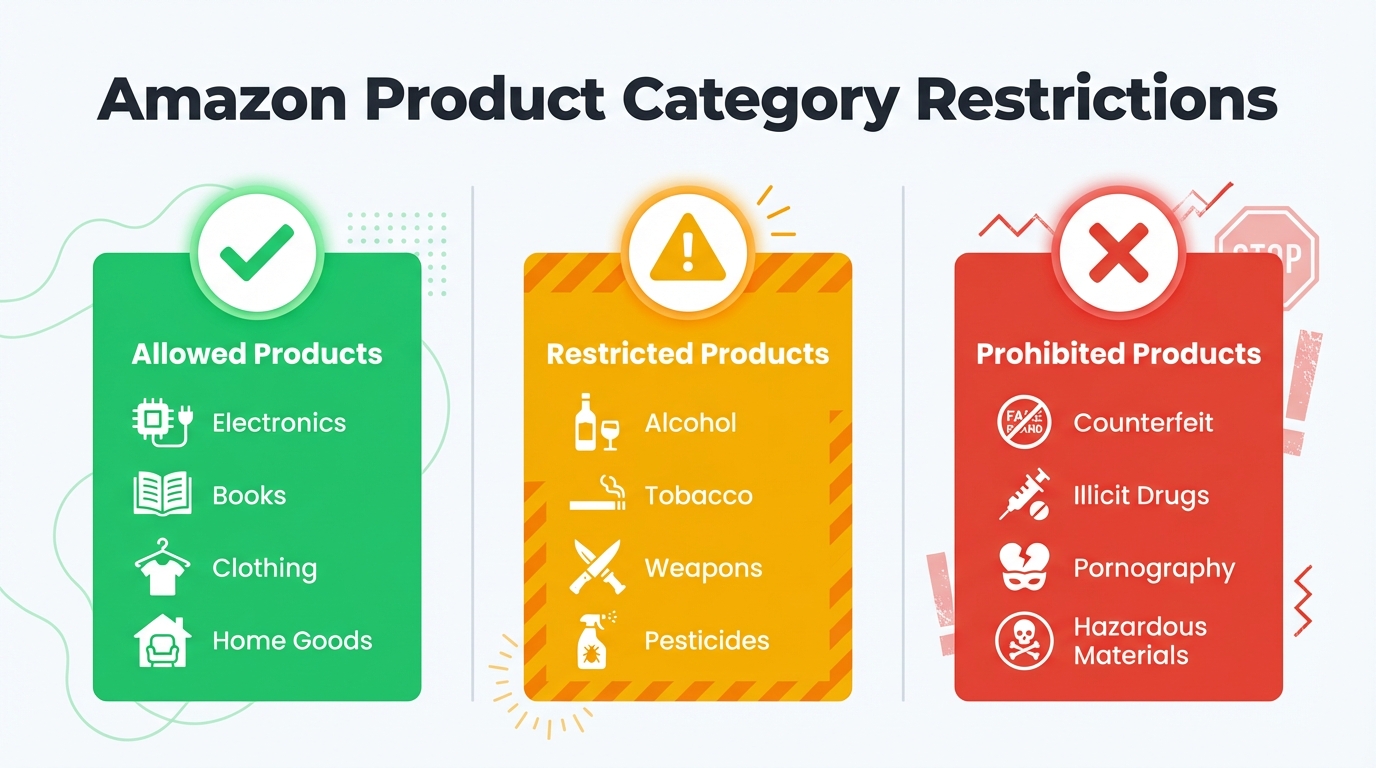
Amazon lists restricted products and policies by marketplace. Some require approval, documentation, or compliance testing.
Important: Listing restricted products without approval may result in listing removal, inventory disposal, and account enforcement. This check is non-negotiable.
How to Check if a Product Is Restricted or Gated
The fastest way to validate eligibility is to test your intended category and listing workflow inside Seller Central before you place an order.
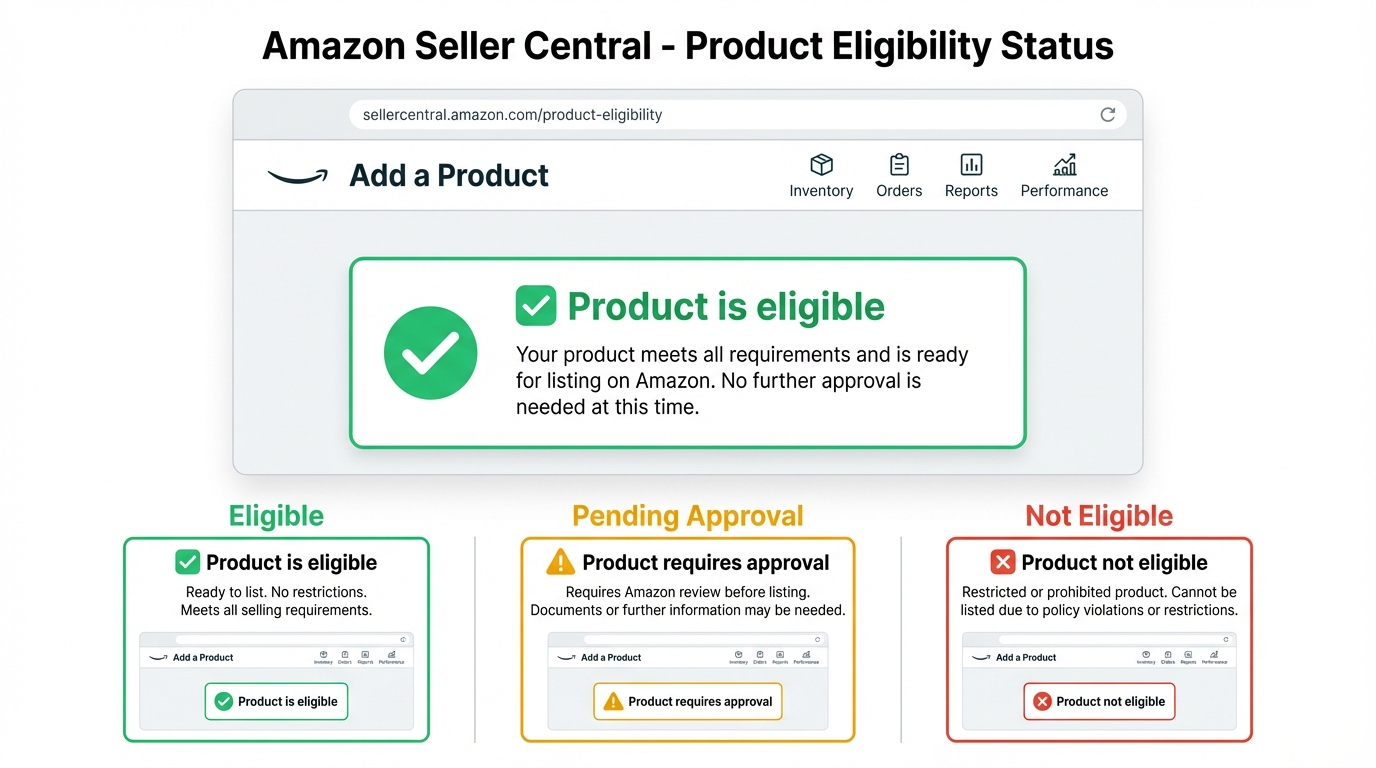
What to do
- Open Seller Central and use Add a Product to test the category or ASIN you plan to sell.
- If you see an approval prompt, note the required documents and whether you can realistically obtain them.
- Review category and restricted product policy pages for your marketplace.
- If uncertain, check Seller Central help resources and confirm requirements before ordering inventory.
Common risk signals
- Approval required for your category, brand, or subcategory.
- Safety documentation required, including compliance reports, lab testing, and certificates.
- Restricted ingredients, regulated claims, or products that resemble medical or child safety items.
Patent Search to Avoid Infringement
A patent search helps you avoid products that can be removed or blocked after launch.
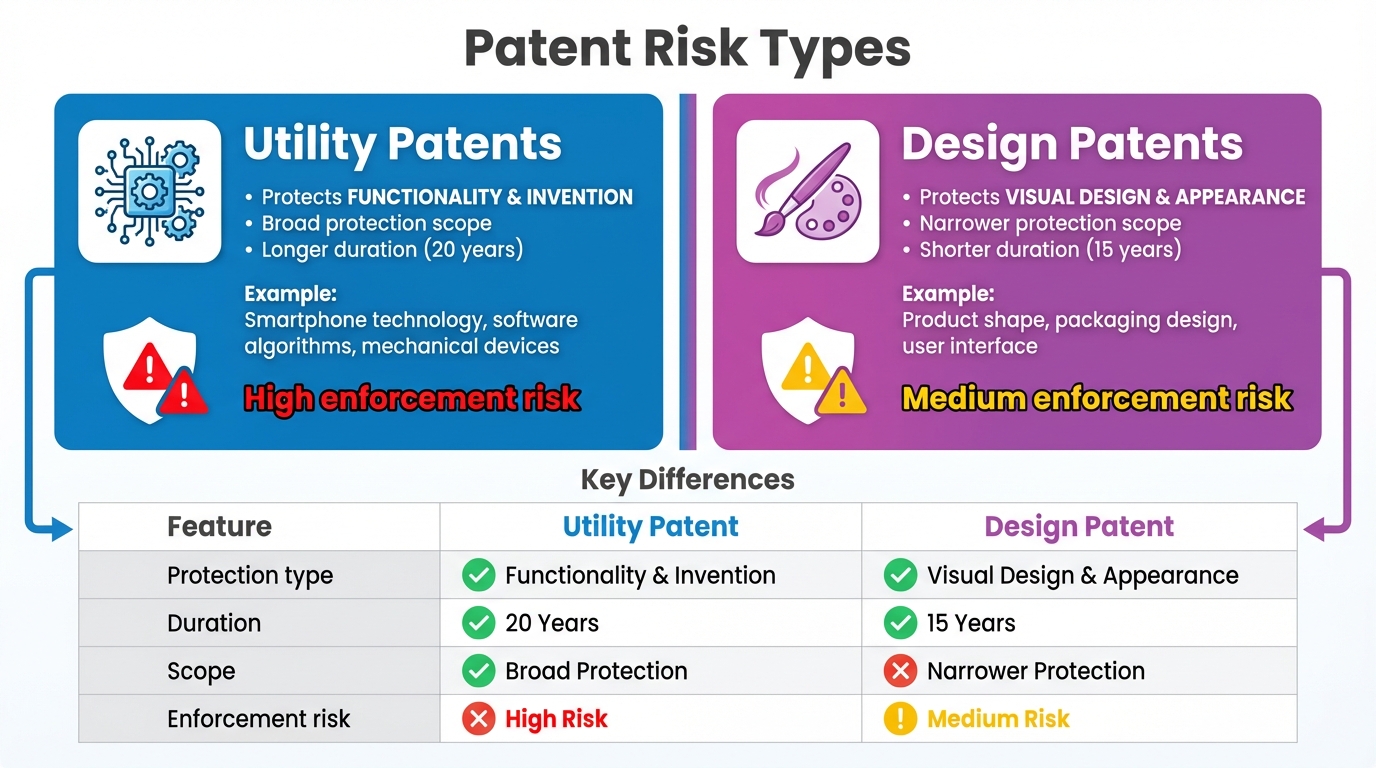
Quick definition: Utility patents protect how something works. Design patents protect how something looks. Either can create launch risk if your product is too similar.
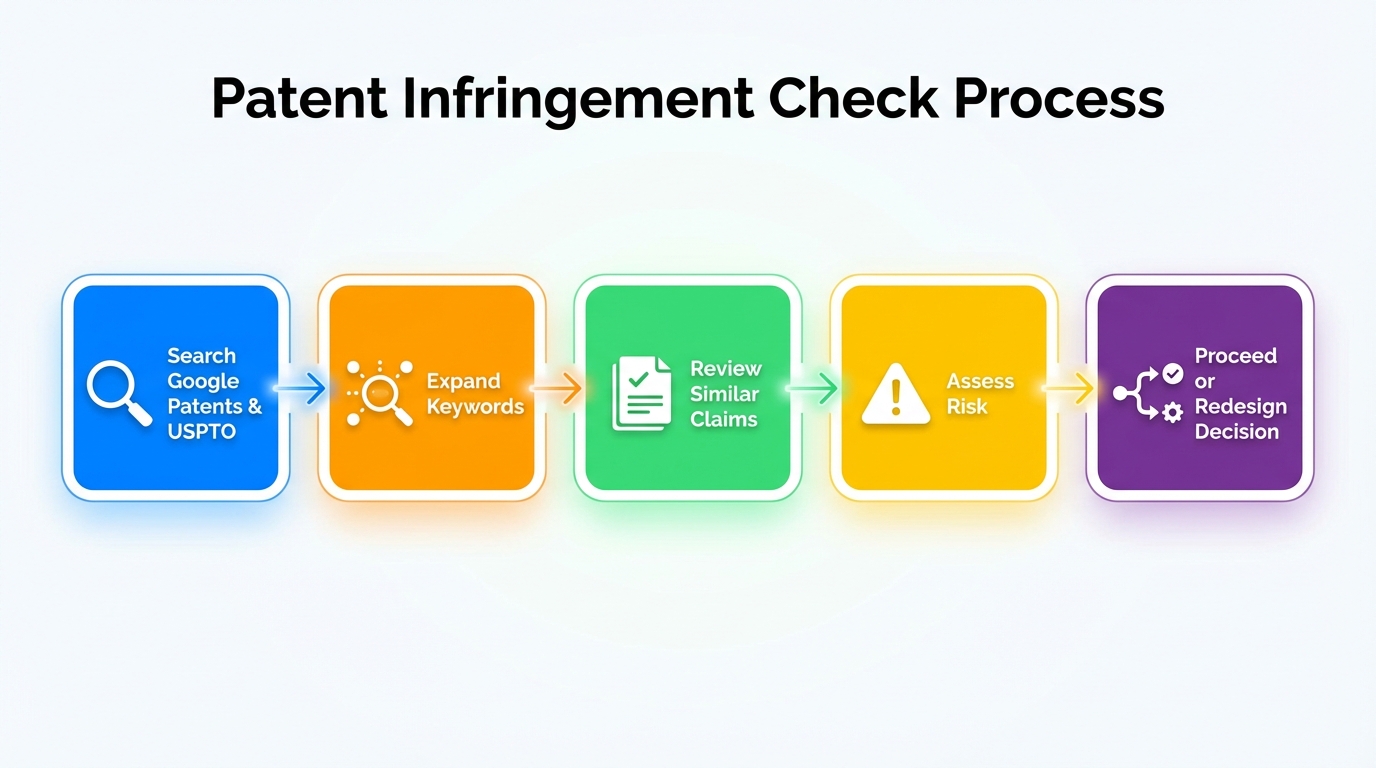
Step 1: Start with the right keywords
Use plain, functional keywords that describe what the product does, not marketing terms.
- Focus on components, mechanisms, and use cases.
- Include synonyms and common alternative phrases.
- Avoid brand names during the first pass.
Step 2: Search Google Patents for quick coverage
Google Patents is the fastest way to scan existing filings and find obvious conflicts early.
- Search by product function, then narrow by category terms.
- Open the most relevant results and read the abstract first.
- Save links to anything that looks uncomfortably similar.
Step 3: Confirm results in the USPTO database
Use the USPTO search tools to validate filings and check legal status.
- Look for granted patents, not only applications.
- Check dates and whether the patent is still active.
- Note the assignee to identify the enforcer.
Step 4: Review claims and drawings, not just titles
The claims define what is protected, and drawings help you judge design similarity.
- Claims that match your core mechanism are higher risk.
- Design patents that closely match your silhouette are higher risk.
- Small differences do not always remove risk.
Step 5: Cross-check competitor listings for known IP
Competitors sometimes mention patents on listings, packaging, or inserts, which can reveal enforcement risk.
- Look for patent numbers, pending notices, or patented design language.
- Check brand storefronts and product images for IP signals.
- If you see multiple patent references, treat them as a warning.
Step 6: Decide whether to redesign or pivot
If you find high similarity, pivot early or redesign before you commit to tooling and inventory.
- Remove protected features that drive the claim.
- Choose a different form factor if the design is too close.
- Avoid listing language that implies copying.
Step 7: Document findings and consult a professional when needed
Save search links and get legal advice if your product overlaps with high-risk inventions.
- Keep a simple spreadsheet of searches, links, and risk notes.
- Ask an IP attorney for a clearance opinion if uncertainty is high.
- Treat upfront cost as insurance against relaunch and disposal costs.
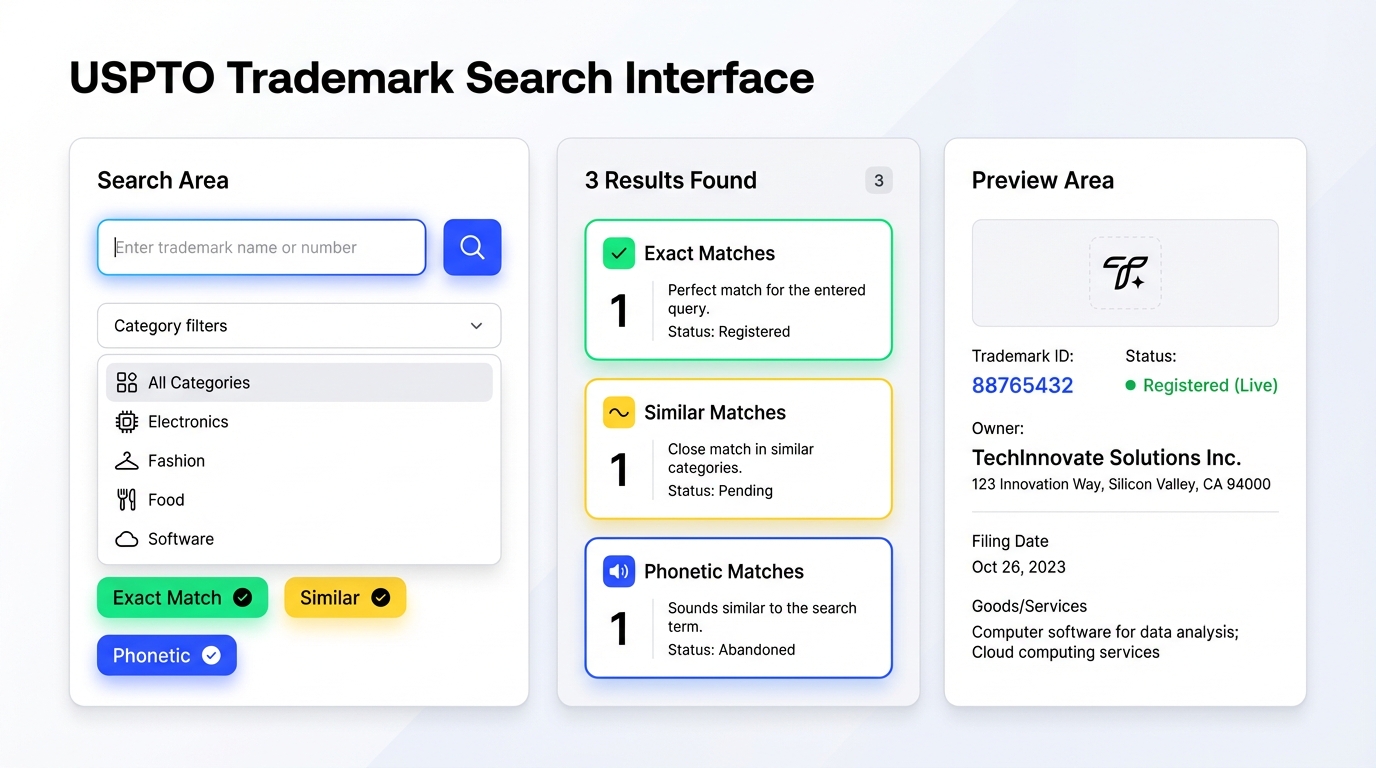
Trademark Search to Avoid Brand Complaints
A safe brand name reduces risk and prevents forced rebrands after launch.
Step 1: Shortlist names that are truly distinctive
Start with names that are not generic and do not resemble famous brands.
- Avoid misspellings of well-known brands.
- Prefer invented words or uncommon combinations.
- Keep pronunciation simple for customer recall.
Step 2: Search USPTO for exact and confusingly similar marks
Use USPTO TESS to check exact matches, variations, and close spellings.
- Search the exact phrase, then split into parts.
- Check the class that matches your product category.
- Treat close phonetic matches as higher risk.
Step 3: Confirm common law usage on Google and Amazon
Many brands never register federally, so you still need a real-world check.
- Google the name with your category keyword.
- Search Amazon for brand and storefront results.
- If the name is already used in your niche, pivot.
Step 4: Check domains, social handles, and international risk
Availability is not a legal test, but it is a practical branding signal.
- If the core domain is taken by a similar business, reconsider.
- If you plan global expansion, check major regions later.
- Avoid accidental negative meanings in other languages.
Step 5: Decide and file when you are committed
Choose the cleanest option and consider filing once the brand direction is locked.
- A trademark helps protect you and supports Brand Registry.
- If you are unsure, consult a trademark professional for clearance.
- Document your search results for future reference.
Product Improvement Through Review Mining Using SellerSprite
Once compliance is covered, review mining helps you build a product that customers actually want, not just a copy of what already exists.
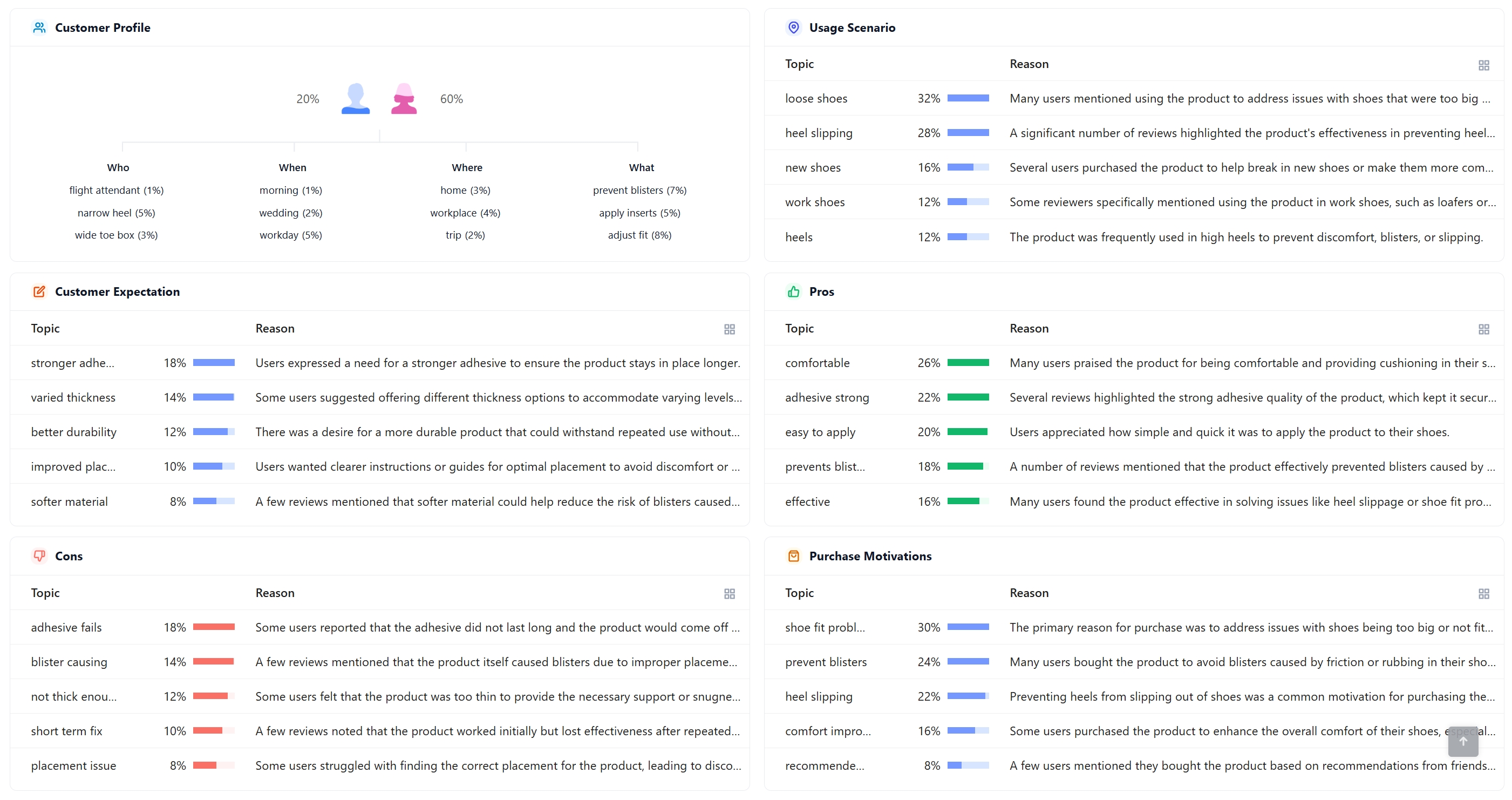
SellerSprite Review Analysis helps you summarize competitor feedback, extract recurring pain points, and turn those insights into a product upgrade plan.
Why review mining works
- Negative reviews reveal what to fix before customers complain.
- Positive reviews reveal what to keep and emphasize in your listing.
- Customer language helps you write clearer bullets and images.
How to do review mining in a repeatable workflow
- Pick competitor ASINs: focus on best sellers and near substitutes in your price range.
- Filter reviews: scan 1- to 3-star reviews for pain points, then 4- to 5-star reviews for strengths.
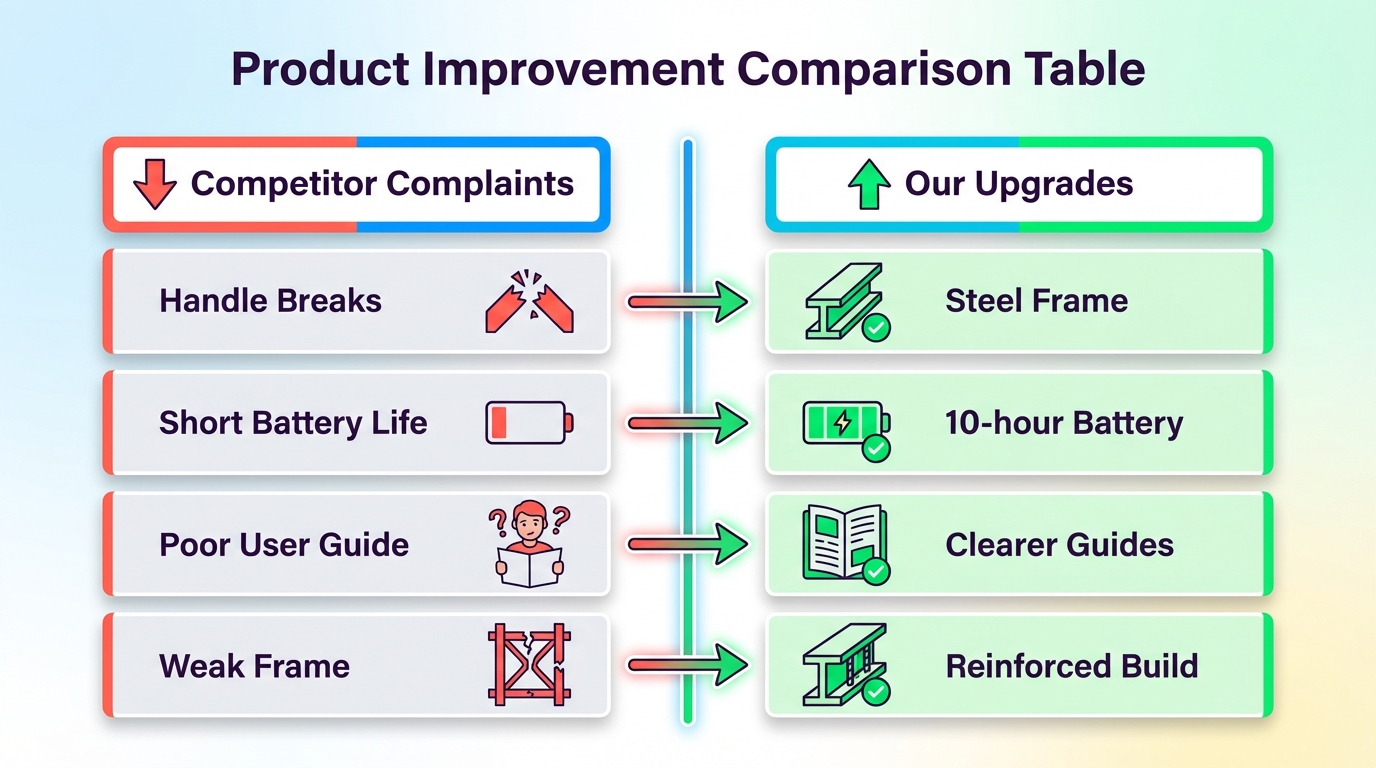
- Cluster themes: group repeated issues into 3-5 upgrade priorities.
- Translate to specs: tell your supplier exactly what to strengthen, redesign, or add.
- Turn into marketing: build images and bullets that directly answer the top complaints.
FAQs
Q: What are Amazon's 3 product categories?
A: Sellers often group products into three practical compliance buckets: allowed products (no special approval), restricted or gated products (approval or documentation required), and prohibited products (not allowed to sell). Always confirm your exact category rules in Seller Central because restrictions vary by marketplace and can change over time.
Q: How do I check for patent infringement?
A: Start with Google Patents using functional keywords, then confirm in the USPTO database. Review claims and drawings to judge similarity and legal risk. If results look close, redesign or pivot before buying inventory. For high-risk products, consult an IP professional and document your search findings.
Q: Where do I search for trademarks?
A: Use USPTO TESS to search for identical and confusingly similar marks in your product class, then cross-check on Google and Amazon for common law usage. Avoid names that resemble famous brands or existing competitors in your niche. When in doubt, request a clearance opinion from a trademark professional.
Q: What is review mining?
A: Review mining is the process of analyzing competitor reviews to identify recurring complaints and highly praised features. You then convert those insights into product upgrades and clearer marketing. Tools like SellerSprite Review Analysis can speed up keyword and theme clustering, so you can focus on the highest-impact improvements.
Share Your Sourcing Journey With SellerSprite Community
Join the SellerSprite community on the Facebook Group to share your sourcing journey, ask questions, and get support from fellow Amazon sellers.
View The SellerSprite Course Directory
Ready for the next step? Open the SellerSprite Academy course directory to continue building your Amazon FBA skills chapter by chapter.
About the author
The SellerSprite Team is composed of experienced Amazon sellers, e-commerce experts, and data analysts dedicated to helping sellers succeed on Amazon. We share proven strategies, innovative tactics, and up-to-date insights through the SellerSprite course and blog. Our mission is to empower Amazon entrepreneurs with knowledge and tools to grow their businesses.


