Latest Version: 5.0.6 & 2.2.2
Release Date: September 30, 2026
🔧 What's New:
🌟 More Products Can Be Queried
Adapted to Amazon's latest loading method. Product Research, Index Checker, and Relevance Check are no longer limited to the first page.
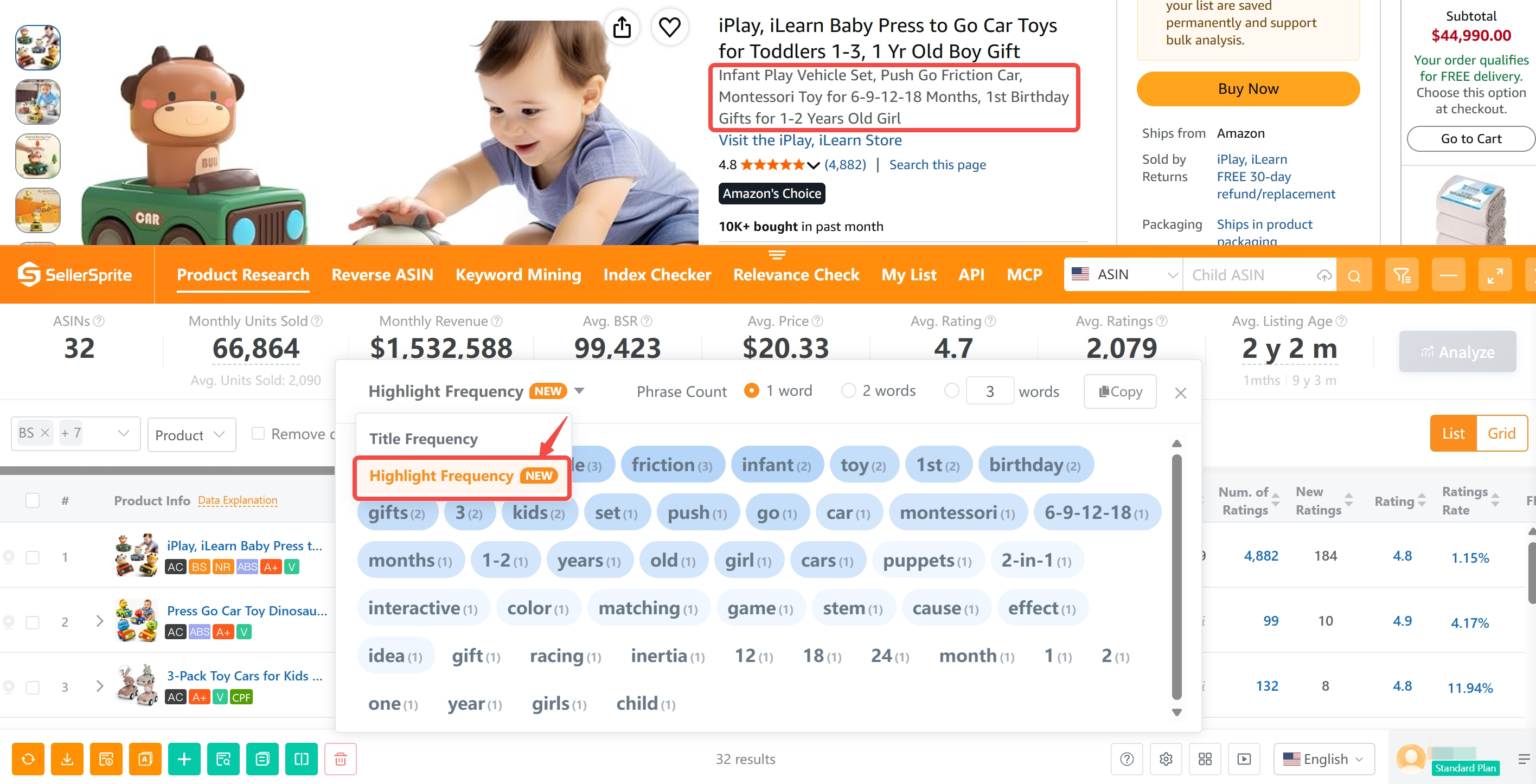
🌟 Highlights Keyword Frequency Added
Product Research, search results pages, and your product list now support product highlights display, with word frequency analysis and export.
🌟 Listing Quality Score Updated
Amazon's latest title limit of 75 characters and highlight limit of 125 characters are now included in the Listing Quality Score, making Listing quality evaluation clearer.
🌟 Search Continues Without Interruption
Index Checker and Relevance Check now support continued execution across pages, while keeping the previous results available when you return.
🔽 Download SellerSprite Extension
For Chrome
Click here to visit the Chrome Web Store and click “Add to Chrome” to install.
For Microsoft Edge
Click here to visit the Edge Add-ons Store and click “Get” to install.
For Safari (Mac)
Click here to go to the Mac App Store and click “Add” to install.
For iPad
Click here to install the extension via the iOS App Store for iPad.
📘 Get Started
Read the SellerSprite Extension Guide to explore features and learn how to use the extension effectively.
❓ FAQ
Q: Why does the extension sometimes load slowly?
To provide the best experience for premium users, the extension loads all features by default. This can lead to slower performance.
Tip: You can speed things up by turning off unused features in the extension settings after installation.


This tool looks shitty, maybe it works well but the look does not transmit reliability
Reply 1
Like 0